


If you work in AI automation, you are likely handling various file types along the way. There are a variety of files that LLMs can ingest, including PDFs, Excel, Google Docs and more.
But there is a certain class of files that are particularly well-suited to enable, support and otherwise make possible many automation and data-driven applications involving large language and foundational models.
They differ in various ways and serve different functions. Most offer some degree of a dual purpose: to be readable by both machines and humans.
Most of these can be created by opening a plain text file on your computer, adding the text/markup/code, and “saving as” the desired extension (after selecting “all file types” instead of “text” files).
But which to use, when?
Here is an overview of 5 of these file types, so you can keep them straight.
Why file formats matter when you work with AI
File types vary in several ways, including along these dimensions:
- Structure type
- Human readability
- Visual rendering
- Syntax brittleness
- LLM parse reliability
- LLM generation reliability
- Token efficiency
- RAG chunking ease
- Native in tool calling / APIs
- Prompt structuring
- Long-form prose
- Nested / hierarchical data
- Typed values
- Explicit relationships
- Node / entity attributes
- Mixed content (text + markup)
- Semantic / ontology support
- Schema validation
- Comments supported
- Git diff friendliness
- Tooling maturity
- Scales to large content
- Embeddable in other formats
- AI search / GEO visibility
With all that variability, it’s a wonder there are not MORE file types to choose from.
The five formats
Here’s a quick overview of the five formats, with a brief description of when you might want to employ each one.
Markdown (MD)
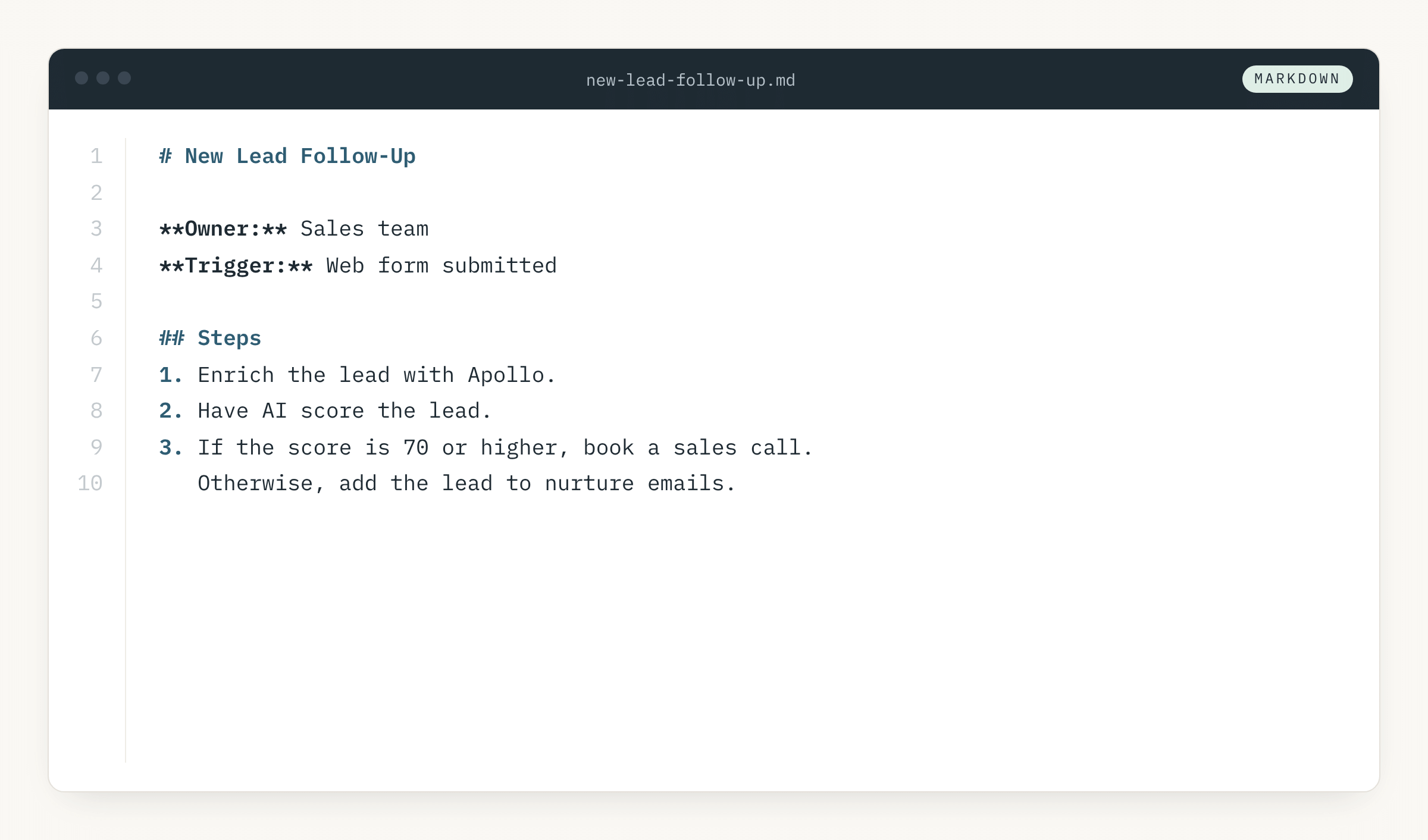
Markdown files read like regular documents with a few symbols added that indicate (or mark) its structure.
These “.md” files are perfect for regular documents with a few additional symbols to add context and structure. Use it when people and AI need to read the content.
Example usage: notes, instructions, prompts, SOPs, and AI context files.
Watch out for: it offers structure, but it does not enforce it, so a computer may not reliably pull out specific values.
JavaScript Object Notation (JSON)
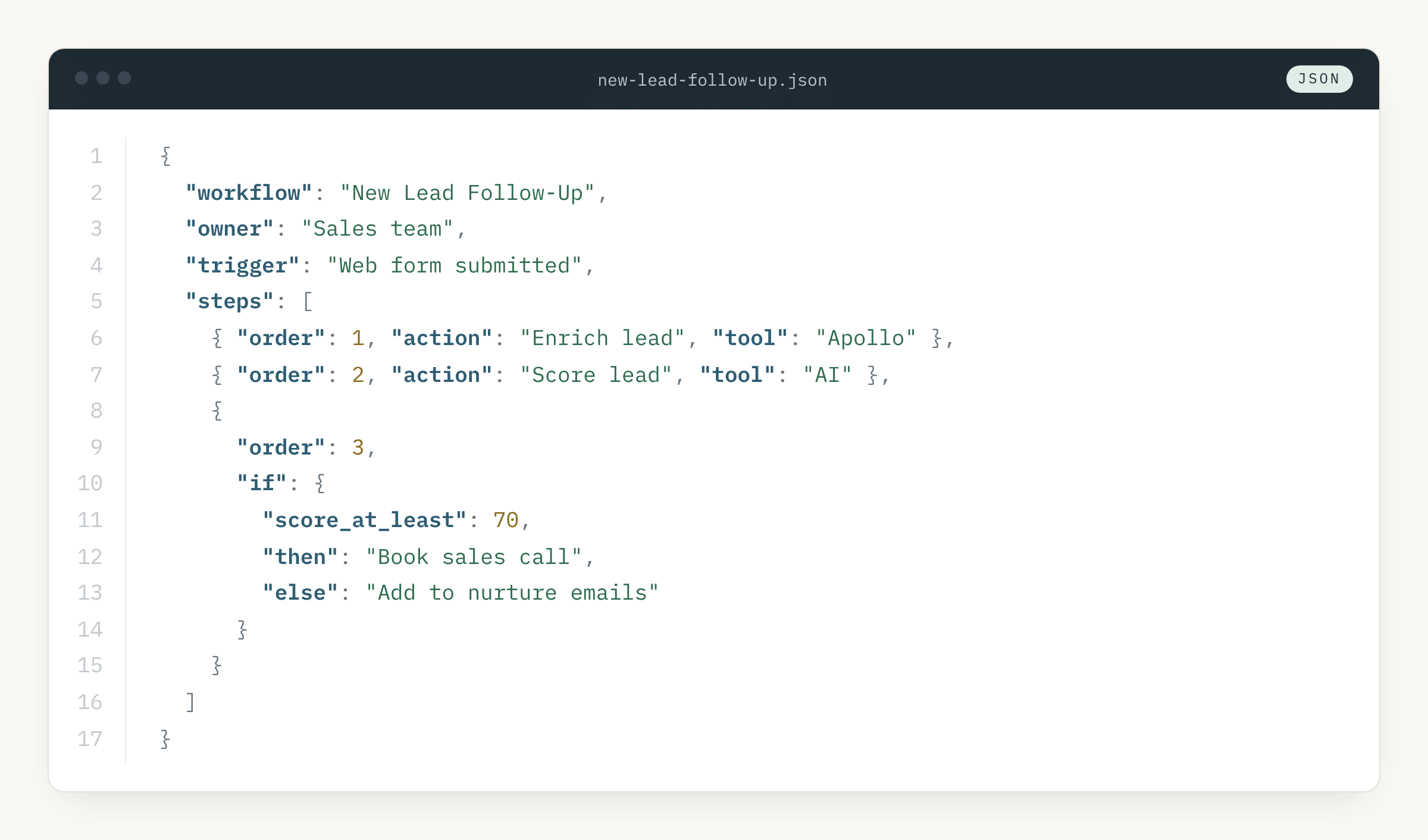
JSON files are among the most structured of the bunch. They offer strict, labeled data containment that software can trust completely.
Example usage: when data moves between systems, such as an AI tool, APIs, webhooks and automation platforms like N8N, Zapier and Make.
Watch out for: it’s very particular and every quote and comma matter. It does not allow for comments and it doesn’t also work well with longer text from a usability perspective.
YAML Ain’t Markup Language (YAML)
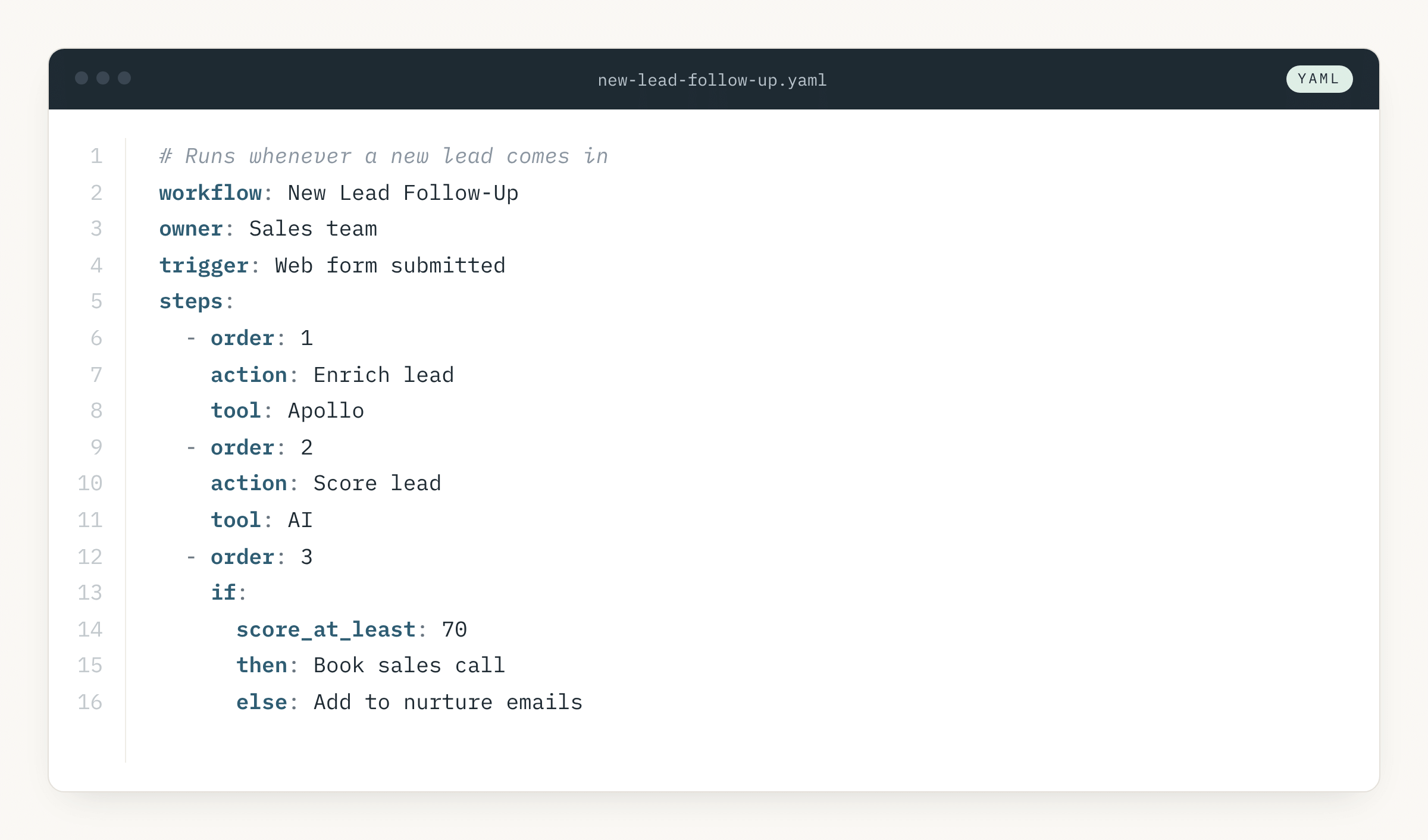
YAML files function a lot like JSON files, except they are much easier to read and write to.
Example usage: people write settings or data that machines will read, such as agent configs, workflow files, and metadata at the top of Markdown notes.
Watch out for: YAML’s spacing matters, so one wrong indent can completely change the outcome or break it entirely.
Extensible Markup Language (XML)
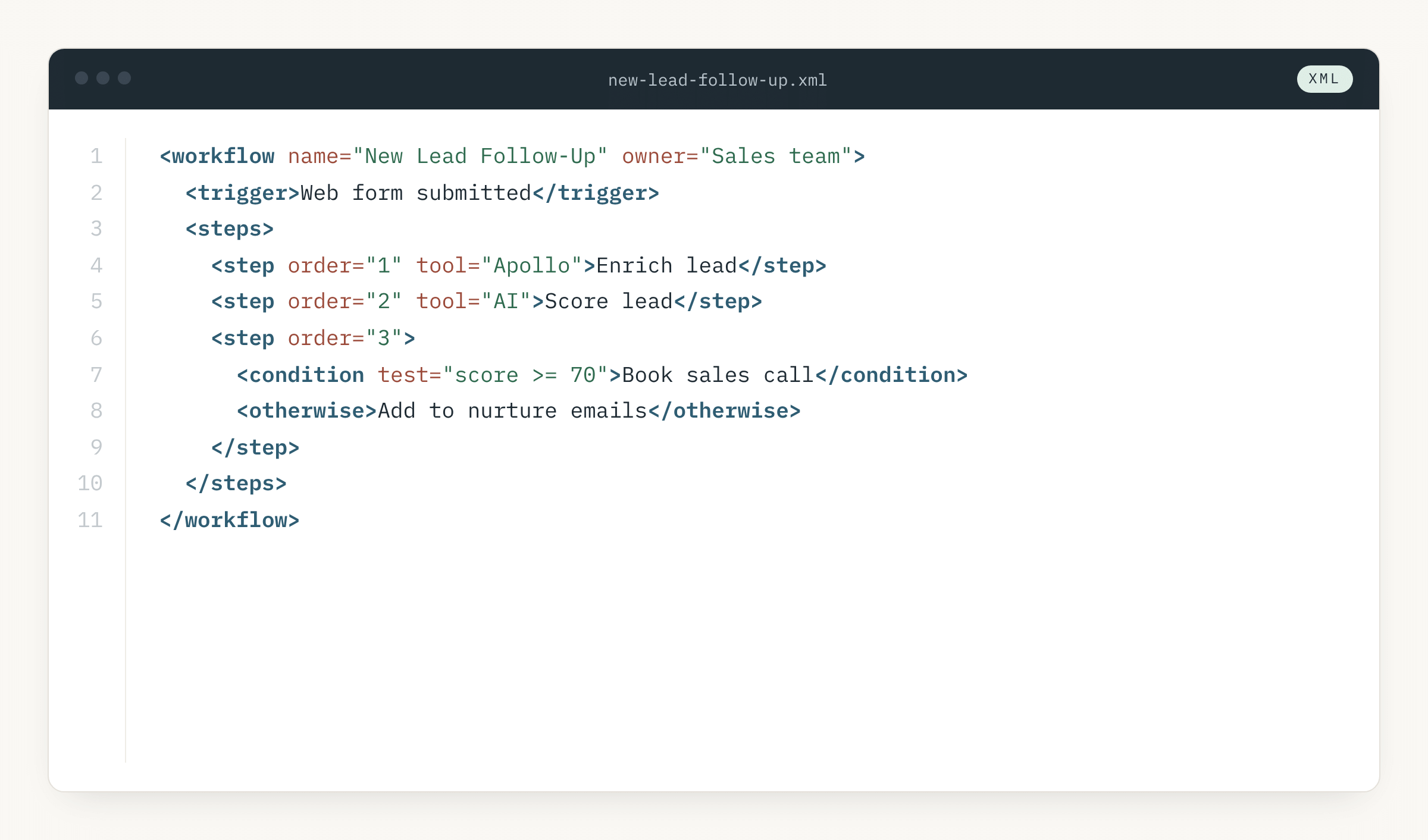
XML files have in many ways been replaced by JSON files. But many older systems still use them. They are still preferred in many cases when nested hierarchy matters.
Example usage: you need clear boundaries between sections, especially inside AI prompts (
Watch out for: XML can be very wordy, which costs you more tokens and makes it harder for humans to read visually.
Mermaid Diagram (MMD)
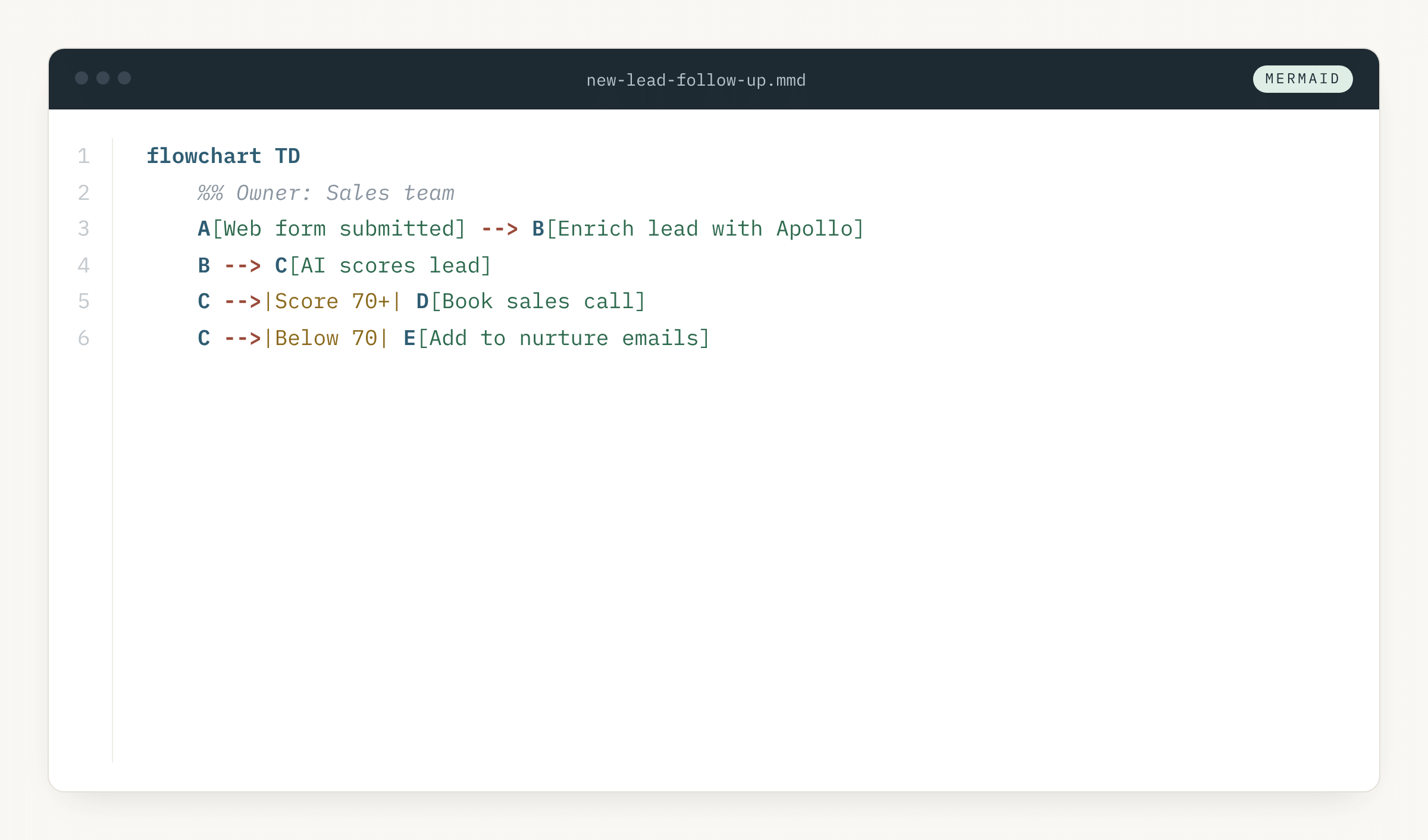
Mermaid diagrams are essentially diagrams (visual tools) in text form.
Example usage: the connections matter more than the details, as in process maps, decision flows, and system diagrams for people or AI.
Watch out for: it shows flow and structure, not detail, and it isn’t a place to store data.
Side by side: how they compare
Putting everything together, here’s a handy lookup table that describes the various file types explored herein, dimension by dimension.
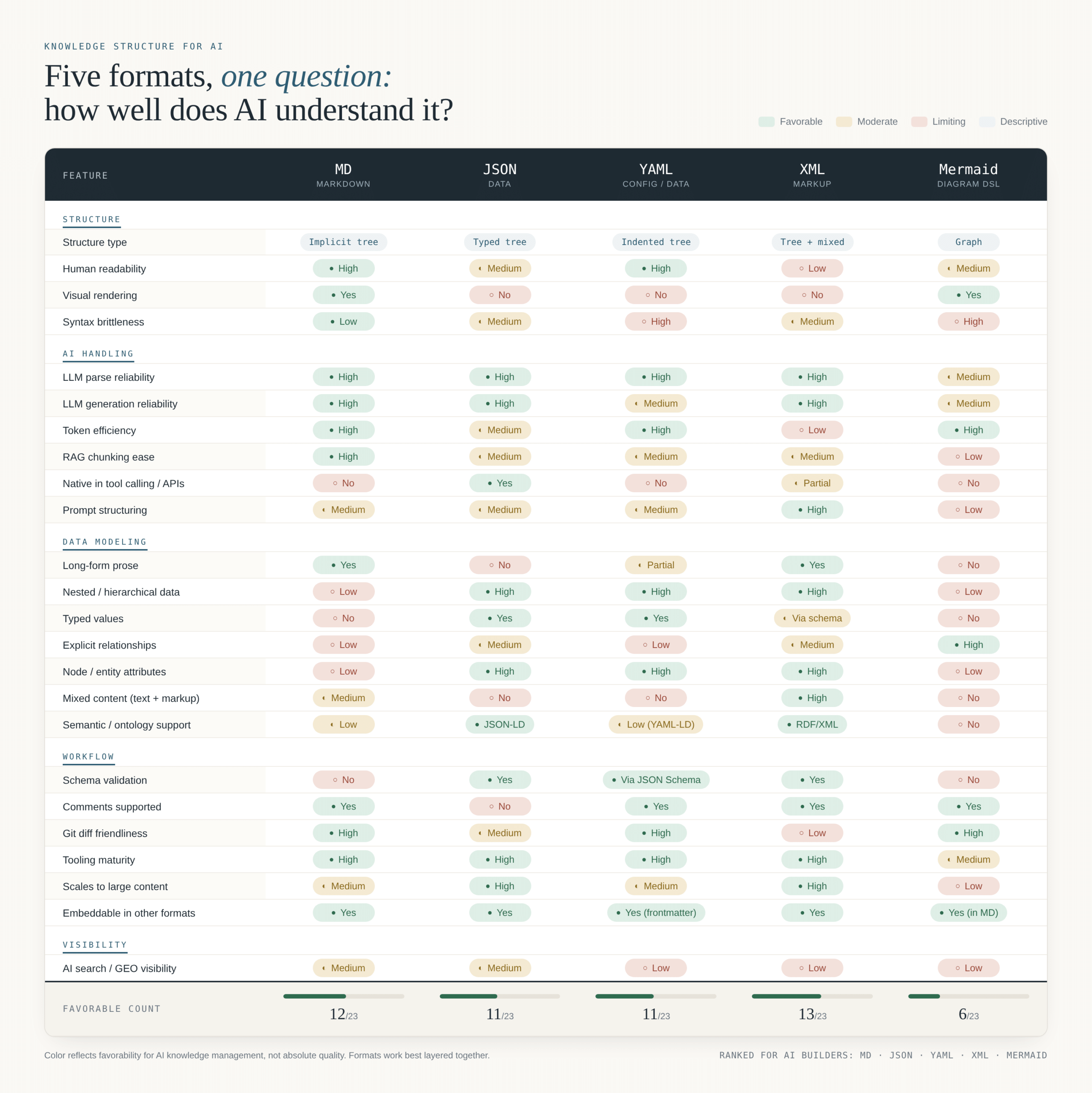
Next time you dive into an AI automation or data project, experiment with these file types, depending on the details of your application. The inner workings of your scripts will become less of a mystery, and give you more control and readability in the process.
Find out how to get your data ready for AI automation with the data strategists at JLytics.